
Civil Engineering Tools
Productive tools for Civil Engineering Design
Latest Autocad Lisps
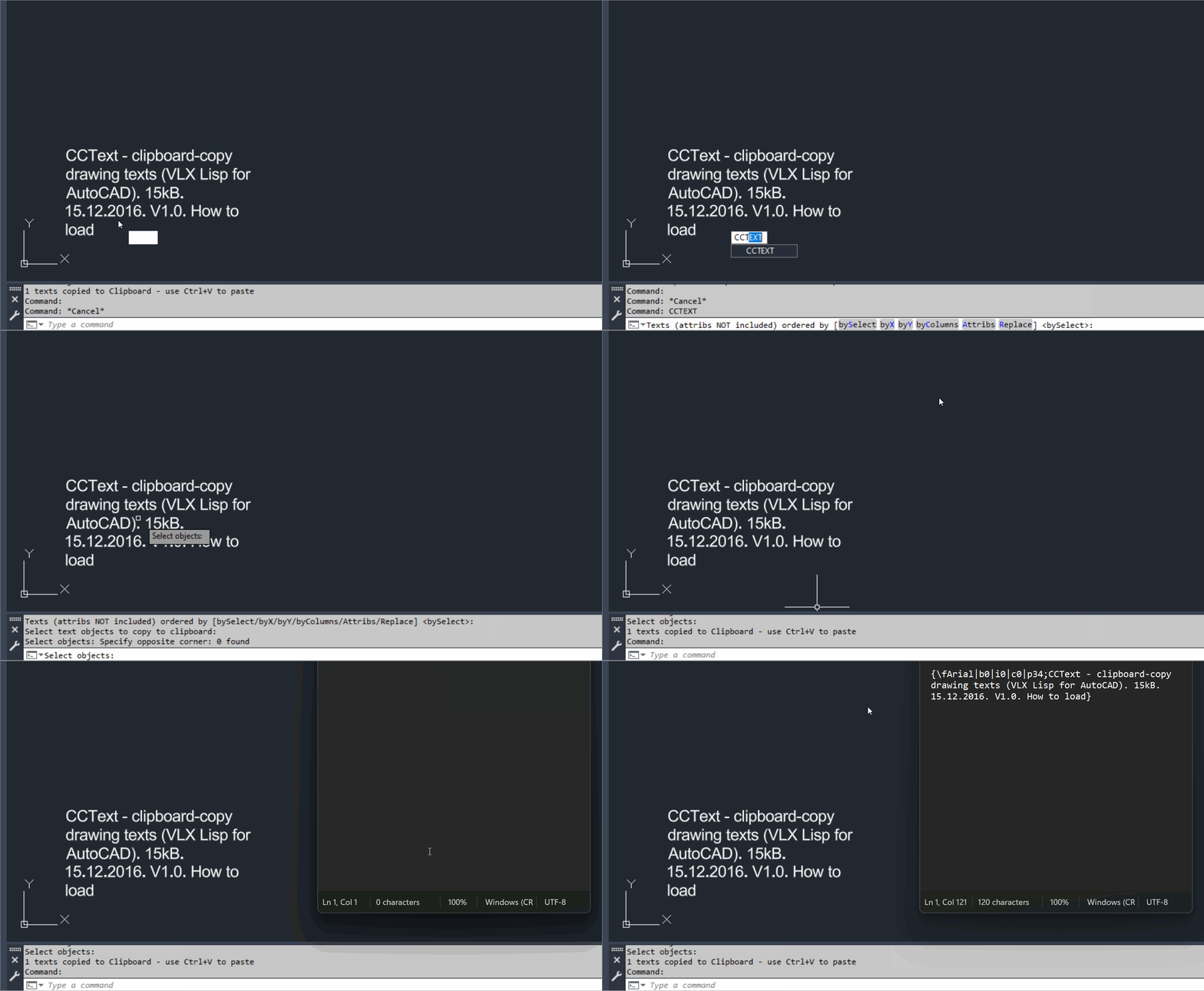
CopyClipboardText
🧩 CopyClipboardText is the CADforum CCText v1.0 VLX utility for mass copying selected AutoCAD drawing text to the Windows Clipboard.
📋 Selected line text paragraph text and optionally block attributes can be transferred to Word or other Windows applications with normal Ctrl+V paste.
↕️ Clipboard text can be ordered by selection order X position Y position or column order before it is copied.Spline2Poly
🧩 Spline2Poly converts AutoCAD SPLINE entities to polylines using SPLINEDIT Convert to Polyline with precision 1.
🎛️ A dynamically generated DCL lets the user choose manual spline selection or conversion of all splines in the entire drawing.
💾 Selection mode and dialog position are remembered in the AutoCAD configuration and during the current session.Slope_Ro
🧩 Slope_Ro calculates a slope ratio and angle from two user picked points.
📏 The current routine uses a fixed vertical run reference of 12 and reduces the calculated integer ratio using the greatest common divisor.
📢 The computed slope ratio and angle in degrees are displayed in an AutoCAD alert dialog.SelectStraightEntities
🧩 SelectStraightEntities automatically finds and selects orthogonal LINE LWPOLYLINE and POLYLINE geometry in the current AutoCAD layout.
📐 Accepted segments must run at approximately 0 90 180 or 270 degrees and lightweight polylines must contain no bulged arc segments.
🚫 Geometry on layer PAGE_LIMIT_02 is explicitly excluded.ParallelPolylinesOption
🧩 ParallelPolylinesOption is a DCL utility for closing two parallel open curves into one joined polyline or reopening a closed lightweight polyline into two parallel open sides.
➗ Both close and unclose workflows can automatically generate a midpoint centerline polyline on layer _HILFSLINIEN.
🎛️ The dialog provides Close Unclose Centerline Apply Undo OK and Cancel controls.PLTools
🧩 PLTools is a large AutoCAD and Civil 3D AutoLISP polyline editing toolbox containing more than thirty callable commands.
🧰 The suite covers vertex insertion reduction deletion and movement segment conversion polyline joining reversing 2D and 3D conversion chain selection segment information centerline style geometry and other advanced polyline operations.
🎛️ PL-MENU and PLTOOLS-MENU provide a launcher for commands from the combined toolbox.
Latest C3D Tools
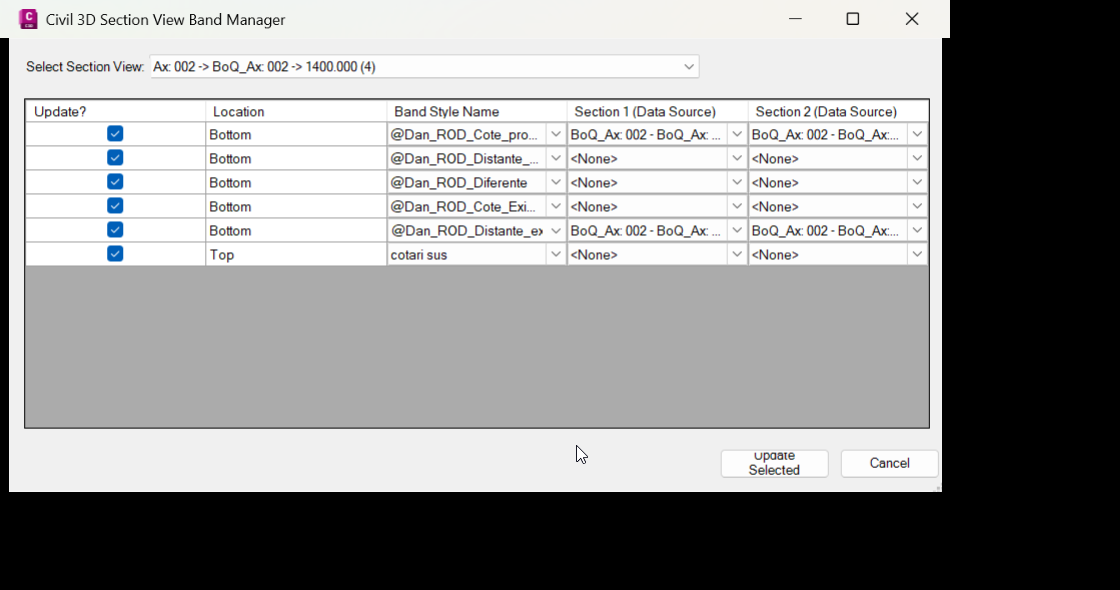
UpdateSectionBandSets
🚀 UpdateSectionBandSets is an AutoCAD Civil 3D .NET Framework plugin for editing Section View band sets, band styles, and section data sources from a focused grid-based dialog. It helps Civil 3D users update top and bottom section view bands faster, reduce repetitive manual edits, and improve section view annotation consistency in production drawings.
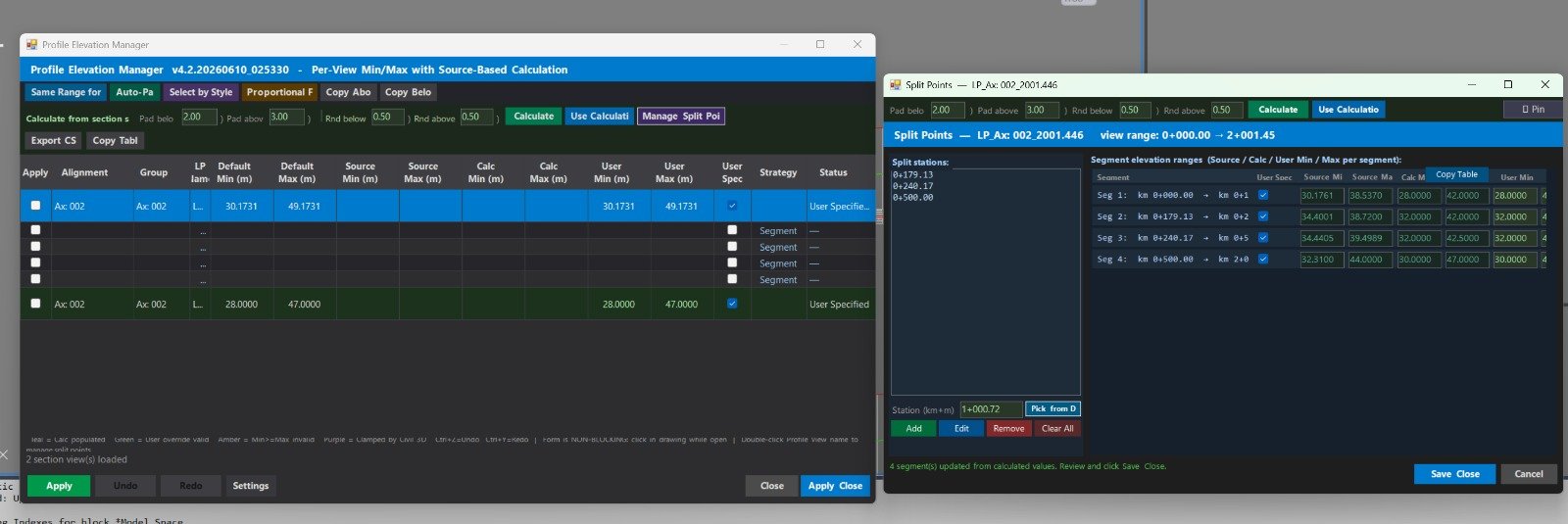
ProfileElevations
🚀 ProfileElevations is an AutoCAD Civil 3D .NET Framework plugin for managing ProfileView elevation ranges, profile view styles, band set styles, split profile view datums, and profile source elevation calculations.
📐 It helps Civil 3D users review multiple profile views in a grid, calculate source minimum and maximum elevations from profiles and network parts, apply consistent user-defined elevation ranges, and reduce repetitive manual editing in Profile View Properties.
🟢 The main benefit is faster Civil 3D profile view management, better drawing quality control, consistent vertical ranges, cleaner plan production, and safer batch editing with undo, redo, CSV export, import, logging, and settings.AssemblyLabel
🚀 Assembly MText Label is an AutoCAD Civil 3D labeling utility that creates a dynamic MText field label linked directly to a selected Civil 3D Assembly object.
📌 The main benefit is faster Assembly annotation, fewer manual text edits, and automatic label updates when the Assembly name changes.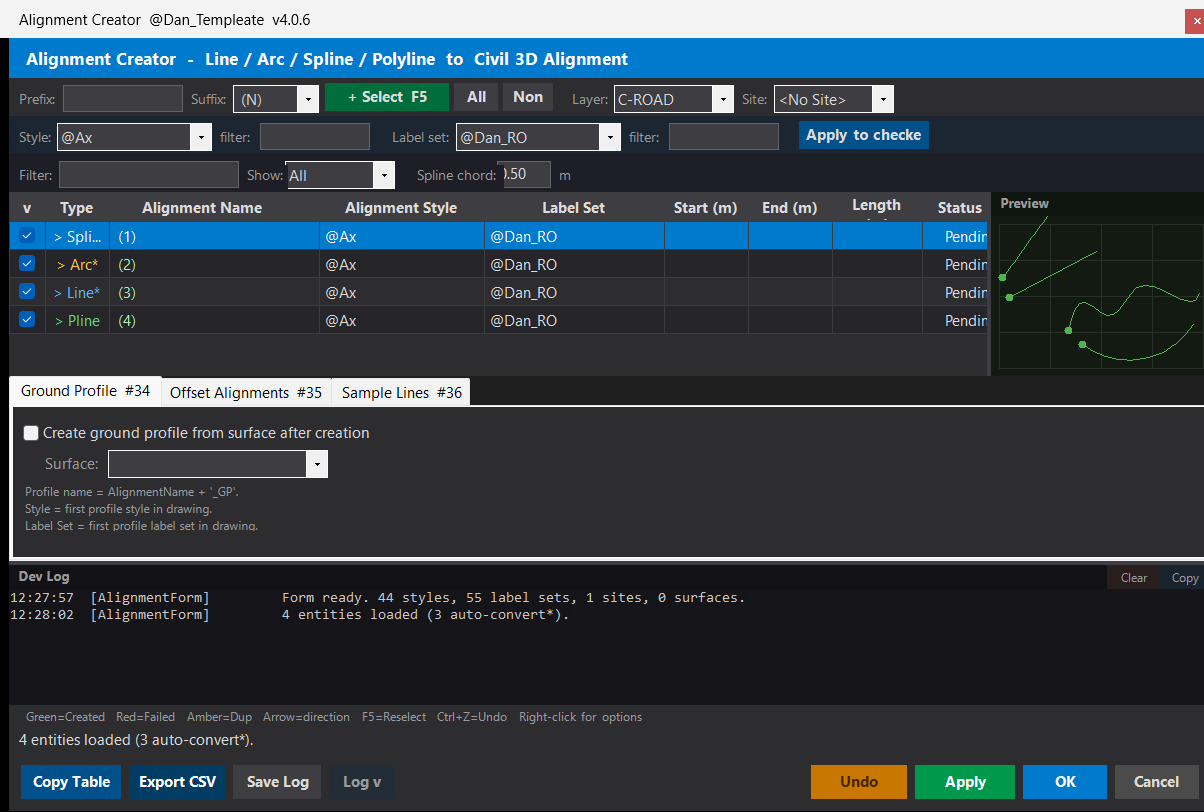
Polylines_Alignments
🚀 DANALIGN is an AutoCAD Civil 3D alignment creator workflow that uses an AutoLISP loader and a C# .NET plugin to batch-convert drawing geometry into Civil 3D alignments. The tool helps CAD and Civil 3D users select Lines, Arcs, Splines, Polylines, and compatible geometry, review the objects in a grid, apply alignment styles and label sets, and create production-ready Civil 3D alignments with fewer manual steps.
ManageProfileViewStyles
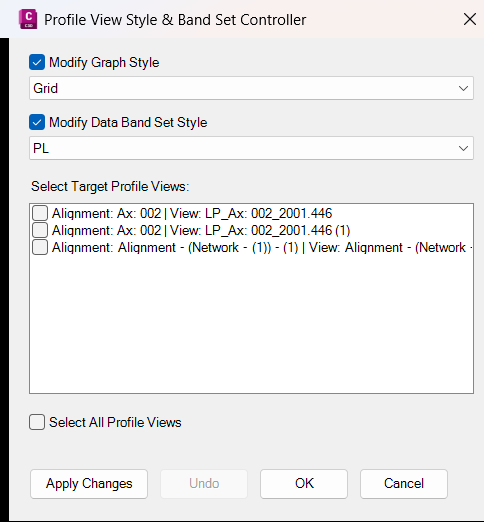
📊 Civil3DProfileViewUtils is an Autodesk Civil 3D C# .NET plugin that manages Profile View and Section View styles from a custom dark-themed Windows Forms dialog. It helps Civil 3D users apply graph styles and band set styles to multiple ProfileViews or SectionViews at once, reducing repetitive style editing and improving drawing standardization.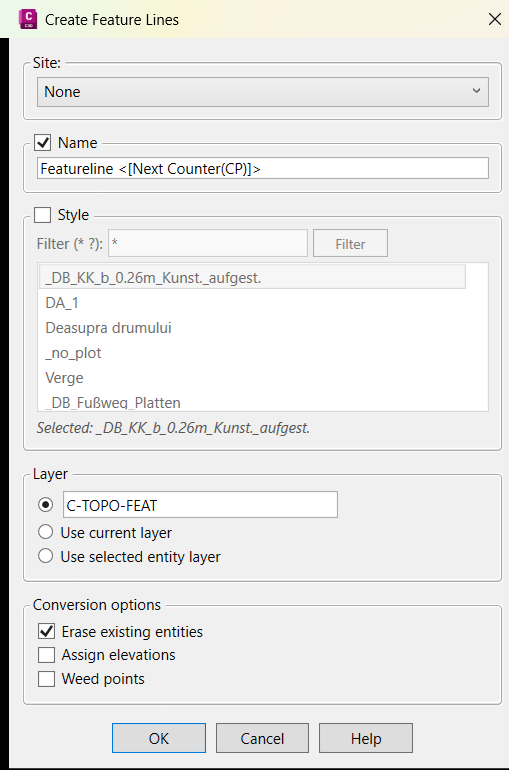
FeatureLinesStyleExtra
🚀 CivilFeatureLines is an Autodesk Civil 3D C# .NET WPF plugin that creates Civil 3D feature lines from selected drawing objects. It improves the standard create-feature-lines-from-objects workflow by adding wildcard feature line style search, custom layer control, optional elevation assignment, source object cleanup, weed-point support, version banners, and detailed command logging for Civil 3D production workflows.
About Us
Coming soon …
Coming soon …